Basic Operation
You can configure settings by operating the instrument’s keys.
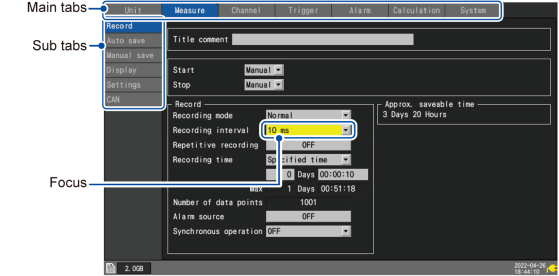
You can switch between main and sub tabs on the settings screens.
“1.1 Performing Basic Operations” in the Instruction Manual.
In this manual, the selected active item is said to have “focus.”
The background of the selected item will turn yellow.